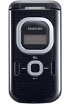
Device overview
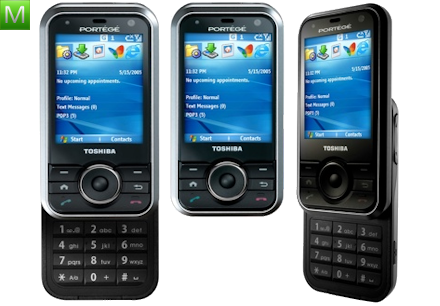
Toshiba G500 specifications
Explore the key features and detailed technical specifications available for the Toshiba G500.
Documentation
User manuals
PDF files are delivered through a protected Manual User Guide endpoint in a new tab.
Specifications
General
5 specifications
- Release year
- 2007
- Dimensions
- 96 x 49 x 22,9 mm
- Weight
- 135 g
- Form factor
- wysówana
- Physical keyboard
- Yes
Specifications
Display and design
2 specifications
- Main display
- TFT 64k colors 240 × 320 pixels (2.30 inches) 174 ppi (pixels per inch)
- Display details
- do3
Specifications
Cameras and video
4 specifications
- Main camera
- 2 Mpx, 1600x1200 px
- Front camera
- 0.3 Mpx, 640x480 px
- Flash
- Yes, LED
- Video recording
- Yes
Specifications
Battery and charging
3 specifications
- Battery
- Li-Ion 1200 mAh
- Standby time
- 2G: 250 h 3G: 290 h
- Talk time
- 2G: 4,7 h 3G: 2,3 h
Specifications
Networks and connectivity
10 specifications
- 2G bands
- 900/1800/1900
- 3G bands
- 2100
- Wi‑Fi
- Yes, v802.11 b/g
- Bluetooth
- Yes, v2.0 EDR
- USB
- Yes
- GPRS
- Yes, klasa 10
- EDGE
- Yes
- HSDPA
- Yes
- WAP
- Yes
- XHTML
- Yes
Specifications
Calls and messaging
5 specifications
- Dictionary
- XT9
- MMS
- Yes
- Speakerphone
- Yes
- Call forwarding
- Yes
- Email client
- Yes
Specifications
Organizer and accessibility
8 specifications
- Java
- Yes, MIDP 2.0
- Calendar
- Yes
- Clock
- Yes
- Organizer
- Yes
- Alarm
- Yes
- Stopwatch
- Yes
- To-do list
- Yes
- Calculator
- Yes
Help improve this pageFound an incorrect specification?
Send the model name and the field that needs checking.
Report an error